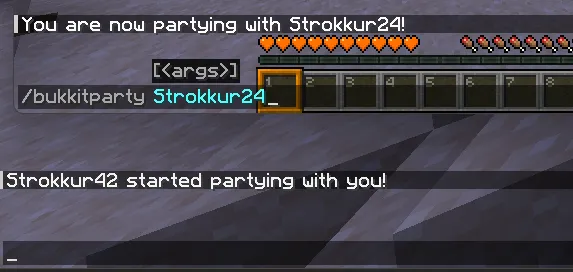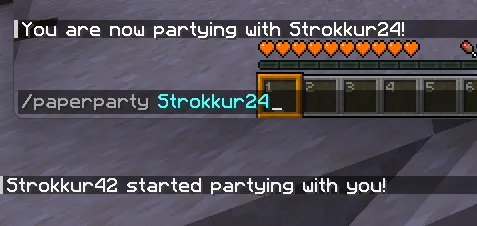

Comparison
Registering commands
Section titled “Registering commands”The old Bukkit way
Section titled “The old Bukkit way”In order to register Bukkit commands programmatically, you would define a class that extends Command, and implements the execute(...) and tabComplete(...)
methods. This might look like this:
public class BukkitPartyCommand extends Command {    public BukkitPartyCommand(final String name, final String description, final String usageMessage, final List<String> aliases) {        super(name, description, usageMessage, aliases);    }
    @Override    public boolean execute(final CommandSender sender, final String commandLabel, final String[] args) {        if (args.length == 0) {            sender.sendRichMessage("<red>Please provide a player!");            return false;        }
        final Player target = Bukkit.getPlayerExact(args[0]);        if (target == null) {            sender.sendRichMessage("<red>Please provide a valid player!");            return false;        }
        target.sendPlainMessage(sender.getName() + " started partying with you!");        sender.sendPlainMessage("You are now partying with " + target.getName() + "!");        return true;    }
    @Override    public List<String> tabComplete(final CommandSender sender, final String alias, final String[] args) throws IllegalArgumentException {        if (args.length == 1) {            return Bukkit.getOnlinePlayers().stream().map(Player::getName).toList();        }
        return List.of();    }}
After that, you can define your command like this in your main class:
this.getServer().getCommandMap().register( this.getName().toLowerCase(), new BukkitPartyCommand("bukkitparty", "Have a party", "/bukkitparty <player>", List.of()));As you can see, you have to do a lot of manual checking in order to register a single, very simple command. But how does the Brigadier API do it?
The new Paper way
Section titled “The new Paper way”First, we need to retrieve a LiteralCommandNode<CommandSourceStack>. That’s a special Brigadier class that holds some sort of command tree.
In our case, it is the root of our command. We can do that by running Commands.literal(String literal), which returns a
LiteralArgumentBuilder<CommandSourceStack>, where we can define some arguments and executors. Once we are done, we can call
LiteralArgumentBuilder#build() to retrieve our build LiteralCommandNode, which we can then register. That sounds complicated at first,
but once you see it in action, it looks less terrifying:
public static LiteralCommandNode<CommandSourceStack> createCommand(final String commandName) {    return Commands.literal(commandName)        .then(Commands.argument("target", ArgumentTypes.player())            .executes(context -> {                final PlayerSelectorArgumentResolver resolver = context.getArgument("target", PlayerSelectorArgumentResolver.class);                final Player target = resolver.resolve(context.getSource()).getFirst();                final CommandSender sender = context.getSource().getSender();
                target.sendPlainMessage(sender.getName() + " started partying with you!");                sender.sendPlainMessage("You are now partying with " + target.getName() + "!");
                return Command.SINGLE_SUCCESS;            }))        .build();}
Each .then(...) defines a new branch in our tree, which can either be a literal (Commands.literal(String)) or an argument
(Commands.argument(String, ArgumentType<T>)). Each branch may or may not define an .executes(Command) executor. This is
where all the logic happens.
We will take a closer look at that in different pages, but for now, how do we register it? Paper uses a LifecycleEventManager system.
In a nutshell, that is a way to register commands (or tags) that get loaded each time the server reloads its resources, like using /reload.
Registering our command in the main class looks like this:
this.getLifecycleManager().registerEventHandler(LifecycleEvents.COMMANDS, event -> { event.registrar().register(createCommand("paperparty"), "Have a nice party");});And we are done! As you can see here, both commands do the same thing: